I hope you find my writing and business tips and observations useful. My business and blog are dedicated to helping businesses communicate clearly and reach their potential.
Read, and enjoy!Tash

Email list or social media followers – which is best?
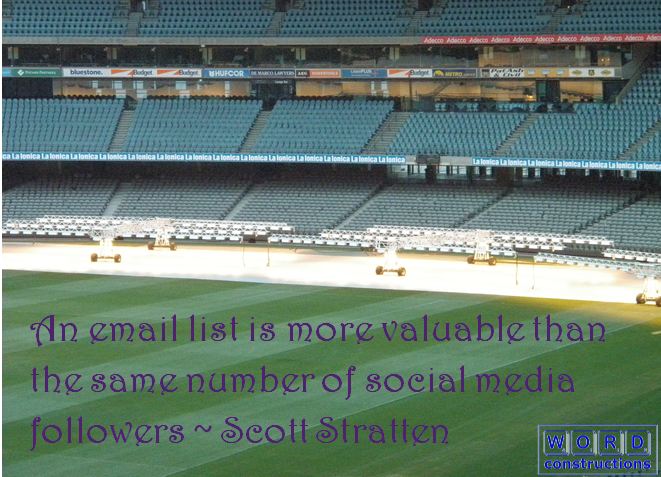
paraphrased from Scott Stratten, author of The book of business awesome and Unmarketing. top marketing and start engaging[/
Yesterday, I heard Scott Stratten talk about business awesomeness in a webinar run by the Australian Businesswomen’s Network (ABN) and the above statement stuck in my mind.
Traditional or modern?
For many years, building a list was the key to online success according to many marketers and people worked hard to get more email addresses.
Now, the list isn’t mentioned as much but there is much talk of being on social media – and some will certainly imply or say that the more followers the better.
Is it just a sign of the times that social media is taking over from email lists and html newsletters?
Fractional reaction and social media
Scott uses the term fractional reaction to show how limited social media exposure can be.
Let’s say you have 100 Twitter followers and you tweet something important at 1o am. How many of those followers will be watching their Twitter feed at 10am? If they are not looking, there’s a very good chance they won’t see your tweet. How often do you go back very far in your social media feeds to check you haven’t missed something?
Email lists
On the other hand, if you send an email at 10am and I’m offline, it will still be in my inbox when I get online.
Email or social media, I may ignore your message because there are too many things to choose between or because it doesn’t interest me. But Scott is saying more will at least see your email. And your email has more chance of being opened if you have built a reputation of sending emails worth reading.
Of course, the other advantage of an email list is that it is yours.
And thus you have control over contacting those people to build your relationship and business.
So which give the best results?
If you have tried both email marketing and social media marketing, which has given you the best results?
Here are some of my thoughts…
It really isn’t easy to put a (return on investment) ROI on social media as some it is based on relationship building, gaining credibility as a thought leader, exposure and learning as well as direct marketing – social media doesn’t work just as a marketing tool.
Social media can take a lot of time to make regular posts, although often in short bursts, whereas writing emails tends to take bigger blocks of time.
With the use of automated emails, the same email can be used over and over in a way that just can’t apply to social media.
If you leave a social media platform or it stops, you lose those followers. Likewise if the platform changes rules, you may find it harder to stay in front of your followers – for example, if they start charging.
I hadn’t really thought about comparing the two options before hearing Scott yesterday. Yet I can see a lot of wisdom in his words.
Of course, there is no reason to not build both an email list and a social media following but which is worth more time and effort? Is a social media following worth pursuing at the expense of your email list?
I know I have put less effort into building an email list than I used to – and now I am rethinking that. Something to consider at my next working on my business session!
Is this a new perspective for you, too?
Obvious plug – you can join my email list and subscribe to my monthly newsletter and/or see below to subscribe to my blog posts and comments.
Are you part of the SMB trends for online activity?
Before reading the statistics below, think about your online activity as a small business.
Are you using online activities more or less than last financial year?
Have your online activities changed in the last year? For instance, are you using Twitter more and Facebook less?
Do you use social media more or less than your competitors?
How important is your website to your business and gaining new clients?
All good questions that can help you assess your time and marketing efforts, and make decisions about budgets and software needs.
So what are other SMBs doing online?
This post was inspired by two different sets of data – mainly because they are so different.
According to MYOB’s July 2012 Business Monitor Survey, online transactions, email marketing and social media use have all dropped during the last quarter.
On the other hand, the Sensis eBusiness Report (August 2012) shows an increase in social media and website use by SMBs over the year.
Interesting isn’t it?
Were the surveys so different or has the last quarter thrown the overall pattern for the year?
Social media use
From the Sensis report, I can tell you that…
41% of medium businesses use social media
27% of small businesses use social media
68% of SMBs in cultural, recreational and personal services sectors use social media
21% of SMBs monitor and update their social media presence daily, with 39% doing it at least weekly
For those on social media, the breakdown is:
Social media usage move up and down
- 86% Facebook
- 32% Twitter
- 25% LinkedIn
- 12% blog
- 5% YouTube
- 4% Google +
- 2% MySpace
- 1% Pinterest
Do you spend most of your social media time in Facebook or Twitter? I know I do!
The MYOB report showed that…
5% of SMBs used Twitter compared to 6% in March quarter
15% of SMBs connected via Facebook, YouTube or Google + – it was 18% in March
19% Victorian SMBs (the biggest social media state apparently!) used social media compared to 24% in March
Websites and online transactions
Like MYOB’s spokesperson, I am glad to see an increase in the number of SMBs with a website – 38% now have a site compared to only 36% in March (interestingly it was 40% when I posted about this in April 2009).
Yet only 24% of SMBs use search engine optimisation to promote their business (it was 31% in March). How much time and effort do you put into SEO and keeping your website fresh and valuable?
72% of SMBs with a website said the website improved the business’ effectiveness – a 4% increase for the last year.
Look at these drops found by MYOB:
- accepting clients’ payments online dropped from 25% to 19%
- running email marketing campaigns dropped 26% to 24%
- buying products/services online dropped 37% to 24%
What impact do such drops have on your business?
With the trends – or not?
So is your business like the majority or minority of SMBs in Australia?
Can you make use of this data to make improvements to your business and your marketing strategy?
Just to confirm, I am on social media…


Social media predicts stuff

Which option will be our future?
I have just read a great article* by Amy Birchall about social media being used to predict the future.
A researcher at Illinois University, Kalev Leetaru, was able to ‘predict’ events such as the Libyan revolution, Osama bin Laden’s location and the Arab spring revolts by monitoring conversations and trends on Twitter. (This made me think of the TV show Person of Interest which is based on a machine predicting the future!)
Extrapolating from that and other observations, the article discusses how social media can be used in many fields to predict things – giving warning to health authorities about epidemics for instance could be very important. Obviously, marketers and advertisers are interested by this as they can predict trends and position themselves accordingly.
It has also pointed out how valuable it can be to target the right (read influential) people can be. The example given was to immunise 96% of people for community immunity – or immunise the most connected 30% for similar results. In business terms, work at promoting yourself to 96% of your market, or to the 30% that influences the rest of the market.
With hash tags and various data monitoring and mining platforms available, it is possible to use social media to research your market and tailor marketing to suit. Have you used social media to decide on a strategy or campaign? Do you think it helped you make good decisions?
* I would love to link to the article for you but I can not find it online – Management Today does have a website and lists a number of articles but not this one unfortunately. I could upload a photocopy of the article but that would breach copyright so I won’t!
Social media choice
Which social media platform(s) do you find useful for your business?
Twitter or Facebook?
I have seen a number of discussions on this topic recently, in blogs and forums, and most people have answered in favour of Twitter or Facebook, with some being against the other. Other sites get little mention or are listed as additional channels.
It intrigues me that people still consider Twitter to be about what someone had for breakfast and won’t look at it while swearing by Facebook as a business tool. Both sites can be used seriously or frivolously – you can choose to not like/follow anything you think is nonsense.
My personal experience is that business people share a lot of information and resources on Twitter while Facebook is great for products and consumer services that people can relate to in ‘their time’ rather than in ‘work time’.
I heard it summed up nicely by Tom Webster (of Brand Savant) recently when he said (paraphrased) “Facebook is for sharing with people you know while the other platforms are for sharing with people you don’t know.”
Benefits to business
As a B2B business, having my information shared widely is valuable so Twitter suits that need. I also like reading what other B2B people share as I can learn from it. Reading what friends share on Facebook may be interesting or fun, but generally doesn’t teach me business skills or knowledge.
One set of statistics* I found interesting is:

B2B 39% & B2C 53% have acquired a customer via Twitter
B2B 41% & B2C 67% have acquired a customer via Facebook
B2B 61% & B2C 39% have acquired a customer via LinkedIn
B2B 55% & B2C 63% have acquired a customer via their business blog
It clearly shows that LinkedIn is more about professional links rather than leading to consumers. But more relevant for now is that Facebook works much better for B2C than B2B, and Twitter and Facebook have produced similar results for B2B users.
Those figures also make it obvious that a blog is still a very useful tool for both B2B and B2C – with the advantage of complete control of the blog and content (social media platforms can and do change).
Your social media experiences
How do you use social media as a consumer/client? Where would you look for a business in social media?
What results have you seen from social media for your business?
*From HubSpot State of Inbound Marketing Report 2011 (2012 version due out soon)
Learning social media rules
I have been using a lot more social media (specifically twitter) recently as part of my Love Santa project. It because abundantly clear that some people have no idea (or don’t care) about how to effectively use Twitter. 
Top most is having an understanding that twitter is for communicating and building relationships – not for blatant ads like old-fashioned media (e.g. a newspaper ad was a one way message). I saw a few businesses tweet their ad at least every couple of hours with no other messages in between. For one business, they had 3 variants of it and ran them in succession once every hour or so during their business hours. I wasn’t their audience anyway but seeing it so often bored and annoyed me, and gave me an uncomfortable feeling about them as a business.
Next is to have one honest profile. It because obvious when 3 supposedly different twitter users repeatedly sent the same tweet straight after each other – a number of times. It came across as trying to trick and con people, plus it seemed they were desperate for business rather than offering quality or showing a genuine interest in people watching their tweets.
The other behaviour that was annoying while I was on twitter a lot (I haven’t really seen it when just keeping up with people I follow on twitter) was an excessive use of hash tags*.
To me it was like reading a blog post or webpage written to show off keywords rather than actually communicate something – boring, annoying and an insult if they think I am impressed by such actions.
Adding # to key words within a message is fine, adding a keyword or two after the message is also fine, but the following wasn’t so fine:
- adding five or more hashtags after a brief message
- adding hashtags that were about advertising not the message (e.g. adding #santa after a message about a computer breaking down to get noticed for Christmas or adding #webdesign to a message about dreading a visit to the dentist)
- making the entire message hashtags with a link
Tweets are like any other content you write – make it about the message and people reading it, not about SEO and getting noticed by more people, as that is what will genuinely get your message heard and distributed.
I can’t say what results those people get from their tweets, but I know I would never retweet or follow them (and I’m sure I’m not alone). I can say that most of the retweeted Love Santa tweets were those based on replying to someone else – in other words, ‘talking’ to people was appreciated and earned greater exposure to other tweeters.
Twitter can be a great marketing tool but it needs to be thought of as a relationship tool with marketing bonuses to have the best impact on your business.
Or maybe you are happy to read tweets with some of the above characteristics? Or have found them effective for viral marketing?
* A hashtag is simply adding # at the start of a word (or group of words without a space in between) that can be used to highlight a topic and make searching for relevant information on twitter easier.
Understanding is important
Do you think there is a significant difference between understanding a task and being able to do it with skill?
I would never pretend to be able to write and design a PDS for example – I hire a professional designer for the design aspects of the job – but I understand many aspects of making it effective (such as using white space and images to make it appealing, avoiding ‘orphans and widows’, being consistent in fonts and headings, and adjusting things to work with page breaks and spreads).
Likewise, when dealing with an architect, I can state functional uses of a space and know that they will match function, materials, space, appearance and reality (i.e. not every idea is really feasible!) I understand the project and outcomes but leave the expert to draw up the plans.
Marketing and social media
A recent IBM study about marketing professionals showed that only 12% consider social media expertise as critical to their personal success in the next 3 to 5 years. Ross Dawson points out the concern with this figure – how can marketers maximise social media for the business they market if they don’t understand it?
I know I understand social media and its power much better since I started using it. I even remember wondering about the value of blogs and making time to read blogs – until I started this blog and realised it’s potential and how useful other blogs can be.
I think it is ok to get someone else to write your blog posts or monitor your mentions on social media. But understanding these media yourself is important. Why?
- if you understand, you can check the people you hire are doing their job
- if you understand, you can fill in if your expert is absent for a little while
- if you truly understand, you can find ideas and inspiration to maximise use of these media (for example, instead of just tweeting and reading tweets of those you follow, have you searched for leads on Twitter?)
- if you understand, you can integrate your brand and message throughout your business – including running campaigns across multiple media
What do you think – do you have to understand something before bringing in an expert to do the task for you? Should marketing people, in particular, understand social media?
Social media is not all good
Like it or not, social media is here and is a major part of our society.
I think it is important that we all have some understanding of social media so we can make informed choices about participating or not.
Unlike some, I don’t think every business MUST be on social media to survive or thrive. Although it is becoming more important as more people expect it.
Mark Schaefer recently posted about social media sewage… and hope. He lists a number of the negatives social media (including blogging) has brought with it – I totally agree that leaving heaps of spam comments in a blog, disreputable SEO approaches and practices, and stealing people’s content are unacceptable behaviours and I don’t understand how people can live with such actions.
I haven’t had Marks ‘hope’ experience but I still believe in sharing information and believe social media has a part to play in my business.

Social media is just one form of marketing
It got me thinking that perhaps some business people need to hear that it’s ok to not be on social media, that it isn’t the cure to all business woes nor is it perfect.
So here are some reasons against using social media which you can weigh up against the advantages when making your decision.
- it takes time and patience. You’re unlikely to see more sales or leads in the short term, and it takes time to put up some content (especially if you put thought into it and try adding value to your community)
- you open yourself up to more spam, malware and virus exposure, scam invitations and other undesirable people
- if your audience isn’t interested in social media, your efforts will go to waste – be sure to only use media your audience uses
- if you just want to advertise, rather than share information and build relationships, your presence on social media is probably a waste of everyone’s time
- social media gives you the opportunity to speak your mind and get on your soapbox. Great for people wanting to exercise their freedom of speech, not always so good for a business spokesperson – if you can’t moderate your words to suit your business brand, social media may be a little risky
- social media is about communication – if you aren’t interested in having a two-way conversation, a static website may be more your style
- the message you write is critical to your social media success so if writing and communicating your thoughts is a challenge, consider your social media strategy carefully – short tweets may work better than long blog posts, a ghost writer could help with blogging and videos for You Tube may be your best option
If you are already using social media, have you thought about how it is benefiting you compared to what it is costing you? Is it doing the job you ‘hired’ it for, another job or is it just costing you?
* Image courtesy of 123rf

Shifting demographics
Recently I read that traditional marketing demographics are narrowing.
Traditionally, TV, radio  etc needed broad categories to work with and it suited marketers to keep us sorted according to such categories (eg male or female, age 18 – 35 or 35 – 60).
However, social media is more interactive so can target people according to interests and tastes rather than assuming majority of x group has those tastes. For instance, instead of targeting all women aged 18 – 35 you can specifically target people who like cooking for friends.
It is an interesting thought and makes marketing both easier and harder, I think. For one thing, you can get very specific about your audience and approach that smaller group – in this case, a smaller group will have a higher response rate as they are already interested. However, it may take more effort to know who your demographic is (it is easier to assume men over the age of 30 than to categorise men over 30 with trade qualifications who like fishing for example!)
How well defined is your target demographic? Do you specifically target that group every time your business communicates with the public?
Recent Comments