I hope you find my writing and business tips and observations useful. My business and blog are dedicated to helping businesses communicate clearly and reach their potential.
Read, and enjoy!Tash

5 tips to support email marketing
Do you use email marketing for your business? Let’s face it, it can be highly effective and relatively cheap so is always worth considering.
No matter how great your email is, though, you need to support it on your website – and this is something many people forget so here are some tips for you:
- use the same branding and style in the email and the web page the email leads to. Sounds obvious but the obvious is often missed when we’re busy and caught in the middle of a project.
- match the message in the email and your website. For example, if your email is about a sale but links to your homepage which doesn’t mention a sale you will find a lot of people will just leave and those remaining will be annoyed at having to search for the information. If you have specific graphics in the email, they should be visible on the site too – or versions of them – so the connection is immediate
- Remember to link to relevant pages, not just your homepage – again, this saves people having to search your site and it can also help your search engine results (especially if a copy of your email is online)
- it is part of your branding, but to be crystal clear on this opint – keep the same tone in the email as on your website. If the friendly, young sounding email attracts someone, a formal, old-fashioned webpage will alienate and confuse them.
- ensure the contact details given in the email are correct and that someone is available to respond to them. An ad in a magazine may result in calls over a period of days or weeks, but the majority of responses to an email will come within hours of sending it out – it’s not a good look if you send out an email inviting calls and no one answers the phone or emails for a few days!
If you looked at your latest email campaign and the related web pages, would you see the connection or would they clash? Try the above tips as a testing process and see if you can’t improve the campaign for next time.
Writing office effective memos
Emails may be replacing inter-office memos overall, but the memo still has its place in many larger companies. Yet many memos (past and present) are not always treated with respect as many have been so poorly written or produced for the sake of having a memo.
So here are some tips to make your memos worth reading…
- keep it short – it is not a letter or a procedural manual. A memo is about giving some important information quickly so get to the point and leave out unnecessary information
- remember that you are writing to colleagues not customers so it’s ok to write something like “see Sue for a copy” or “in the main foyer” as everyone will understand
- be personal – you know the people you are writing to so it doesn’t have to be very formal. “Call me”, “pop into my office” or “let me know” are much friendly than “don’t hesitate to call me” or “reply by fax”
- be polite and show respect, even if the memo is pointing out something negative. Compare “we need to improve customer service so…” with “you are all really bad at customer service so…”
- use personal terms – you, me, I, we – to maintain a connection with your readers
- be specific so staff know what is needed – “the renovations start on Monday so please clear your desk by 4pm Friday” or “reports are now due by 10am Tuesday” are clear and easy to comply with
- make it clear who is getting the memo – I don’t want to waste time passing it onto my team if they already have it but I also don’t want them to miss it; if it is sensitive, it helps to know who else is reading the information
- most importantly, don’t write a memo unless there is actually a need to do so – sending out lots of memos loses their effectiveness no matter how well you write them.
Of course, these same rules apply to important internal emails, too.
Have you received any really bad memos? What made them stand out as bad?
Another poor marketing email
I receive many poor emails, but sometimes I am amazed at them and have to share them in the hope of reducing the number of bad emails being sent.
In this case, the email was from someone who can apparently improve my email marketing – how can I trust that claim when their email is so poor itself? Continue reading
Their names are precious
Did you know that someone’s name is one of the most precious words to them?
If you don’t believe me, think about how you feel when you are ‘treated like a number’, someone pronounces your name poorly and you get a letter with your name wrong in some way.
I once got a letter that referred to Mr T Hughes, opened with Tash and had Mrs Hughes on the envelope. I didn’t like being called Mr but the lack of care shown by the inconsistency was very poor.
Getting people’s names right is a sign of respect, and in business it also shows attention to detail matters to you. So consider the following tips:
- check the spelling of someone’s name before you send a letter or email – and use their spelling even if you don’t like it
- personalise where possible – if sending a letter or email, consider adding their name to the subject and/or body as well as in the opening line
- think about what form to use – title and surname or just first name for instance will depend on your audience and your business style. Note if they have shown a preference for one style then make sure you use that style.
- if you are not sure of gender from the name, avoid using terms that indicate gender as getting it wrong can be offensive
- never make fun or joke about someone’s name, even if you think you have a friendship, unless they have done so first – even then I would hesitate before joking about their name
- wait to be invited to use a nickname or abbreviation. So many people meet a Michael or Jonathon and start saying Mike and Jon, but if Michael hates Mike it will not impress him at all. Besides, nicknames are personal and often reserved for friends
- ask how to pronounce their name if you are not sure – people don’t mind helping but may resent errors
- do your best to remember names, especially at networking events or if a client introduces you. There are many techniques for improving your name memory and it is a valuable skill to have
PS On a humorous note, I received a phone call a few days ago where the person asked “Is that Mr Tash Hughes” (badly pronounced)
I answered “No” thinking – do I really sound like a Mr?
Next question “Can I speak to Tash Hughes?”
My answer “You are – I am Tash but I’m not Mr.”
“Oh, I thought you were a boy, Goodbye” and hung up!
What contact details to give?
If you are looking for something online, what form of contact details do you like to see? What difference does it make to you if it isn’t there?
I have often read about offering a range of contact methods to give clients options and their preferred choice. I believe in the value of certain options being offered, too. So it was very interesting to read Danielle Keister’s view on contact details.
Her argument is that someone who really wants your services will use the contact details your provide; if they won’t follow your system (in her case, completiong of a specific form to get a quote, etc) then this forms a process fo weeding out clients you didn’t really want in the first place.
I like the concept – it is impossible to please everyone so I can make my business run the way that best suits me. My contact pagedoesn’t include my mobile because I don’t think anyone’s writing project is so important I need to be contactable all the time, and it doesn’t include my email address to avoid spam. On the other hand, it does encourage an email contact form as the preferred means of contacting me.
I could delete my phone number from the site altogether, but I think there is a certain credibility attached to having a phone number available. Please tell me if you disagree!
My postal address is rarely used by anyone I don’t have an existing business relationship with, but I include it because it helps identify my location – I know I hate not knowing where a business is located if it isn’t clear (my .au domain and about us page do make it clear I am in Australia, and my exact location isn’t very relevant to clients so the contact page is less critical for me).
Away from my website, I generally use my URL and email address for contact information.
And I guess it works as the majority of clients and prospects do contact me by email – at times I wonder why I have a business phone at all!
Do you offer all your contact details or do you tailor it to your business preferences? How does that work for your business?
Consistency includes contacts
Consistency is an important aspect of building your brand. It is easy to remember to always use the same colours, fonts and logos, but you also need consistency in the details you provide.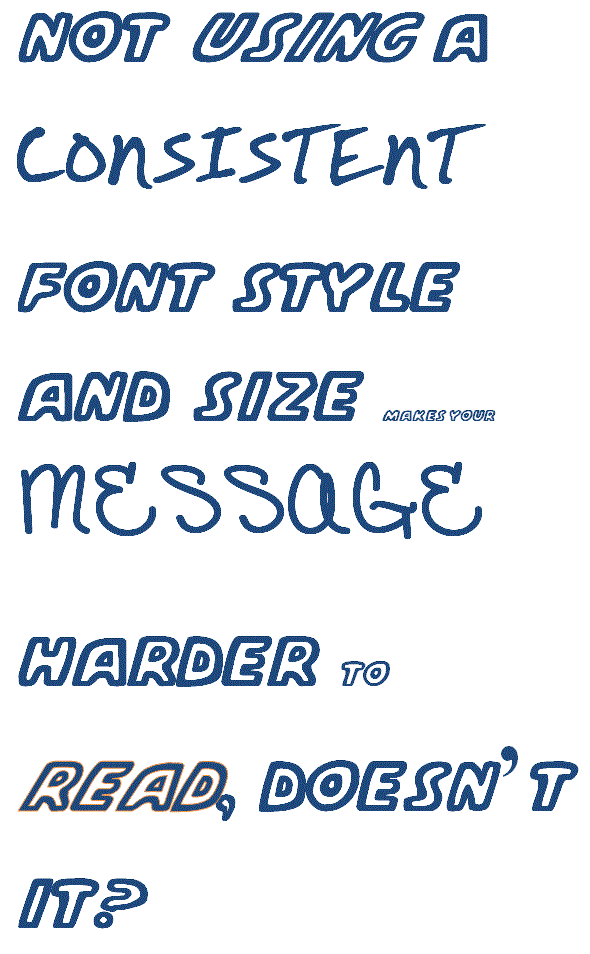
For instance, I recently received an email where the sender’s email address was different to the one in the signature (and I mean completely different – names and domains varied!) and both were different to the URL of the business! I didn’t try any of them and deleted the email…
Contact details are not only important for branding and consistency, they are also crucial in building trust. A business that uses a different email address to what they advertise or refuses to give any contact details on a website and so on can give the impression of hiding something – not a great way to establish trust.
Personally, I also notice when people use an email address that doesn’t match their URL. For one thing, why lose the promotional advantage of using your own domain name? And why promote someone else’s business instead? Using a different domain to your own also looks unprofessional – especially if it is a hotmail address.
What do you think of a business that doesn’t have contact details consistent with your domain? Does it impact on your sense of trust?
How not to start an email
I just received some spam which started with:
You are receiving this email becasue we wish you to use our Website Design Services.
Did someone really think that approach was going to win them any business? They went on to explain about their company and what they offer (so say their subheadings anyway – I didn’t read it!) but frankly who cares?
What’s wrong with this opening?
- there is no attempt to be polite or engage me as a human being, let alone being personal
- there is no attempt to gain my interest
- there is no attempt to show any understanding of my issues, let alone suggestions of how they can help solve them
- they didn’t even take enough time to check the spelling in the first line of their email! How can I trust their attention to detail?
- they attempt to further their importance by using capital letters when describing their services – unnecessary capitals of course
- and the big one – how does what they wish have any relevance to me or me receiving unwanted emails?
So when starting emails, remember it is a person reading it so write to them!
Recent Comments